Getting Fishin' Frenzy on Your Phone
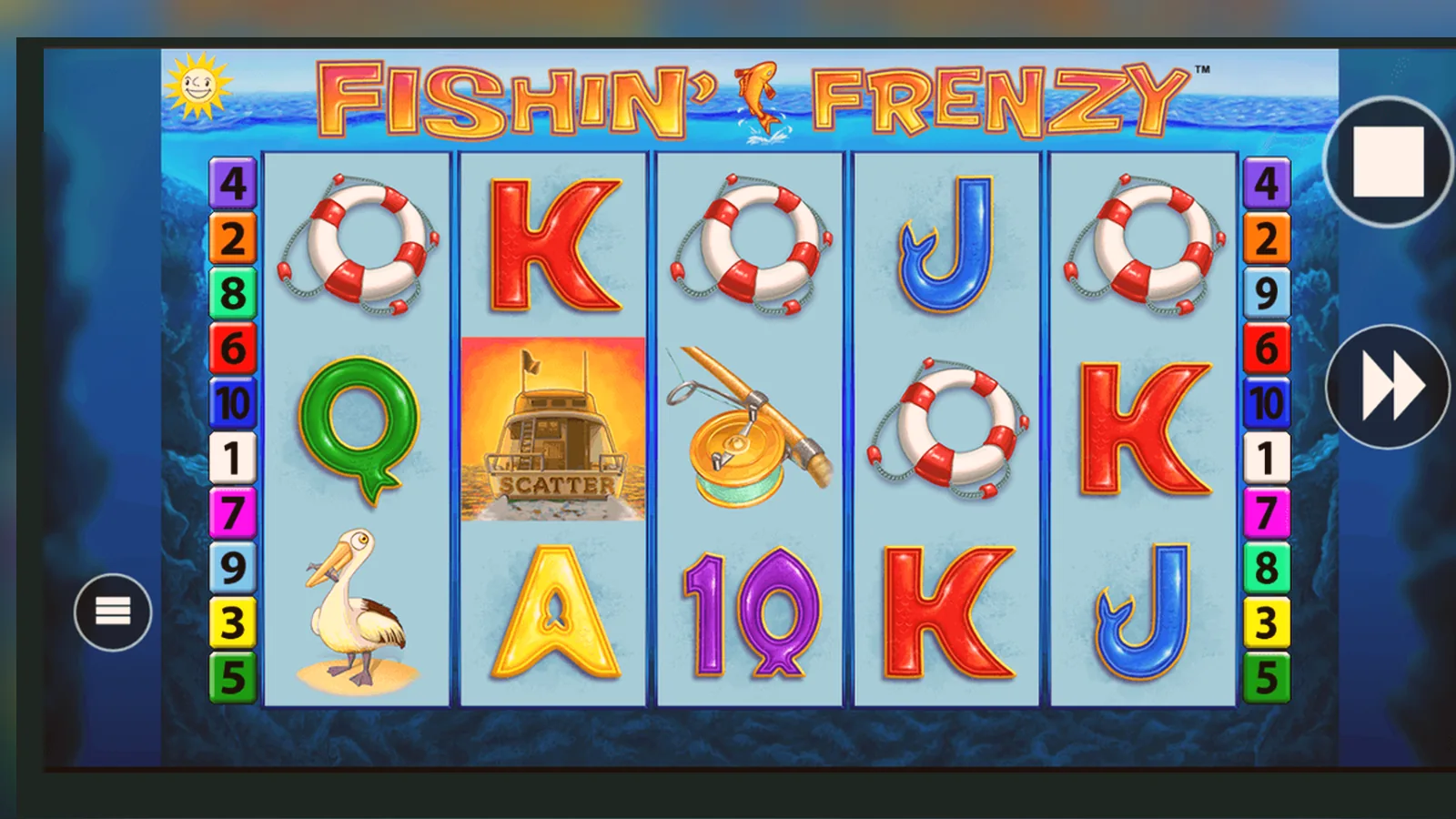
You won't find Fishin' Frenzy as a standalone download on Google Play or the App Store. The game lives inside casino operators' apps or browser-based web apps, not as its own title. That's the short answer. The longer version covers four ways to play on your phone, the real risks of APK files you might stumble across, and how to tell a legitimate install from a fake one designed to harvest your details.
Every UKGC-licensed operator runs age and identity checks before you can deposit or play for real money, and those checks happen whether you're on desktop or mobile. If you've already verified your account on the website, you'll log straight into the app with the same credentials. If you haven't, expect to upload a photo ID and possibly a bank statement before your first withdrawal—standard practice under UK law, and it typically takes 24–48 hours.
What You're Actually Installing
Fishin' Frenzy is a slot from Blueprint Gaming, and Blueprint licenses the game to dozens of operators. The operators then wrap it inside their own casino platforms. When you download an app, you're getting the operator's full casino—hundreds of slots, table games, live dealer rooms—with Fishin' Frenzy somewhere in the lobby. The game itself streams from Blueprint's servers; the app is just the wrapper that handles login, payments, and the interface.
The numbers above are illustrative, pulled from a handful of popular UKGC operators' app listings. Each operator updates independently, so version numbers and file sizes vary. The rating reflects the entire casino experience—app stability, payment speed, customer support—not just the game.
Four Ways to Play on Your Phone
You've got four paths, each with different trade-offs. The safest two don't require any download at all.
- Browser play: Open Safari (iOS) or Chrome (Android), navigate to your operator's site, log in, find Fishin' Frenzy in the slots lobby, and tap to launch. The game loads in full-screen mode. No install, no permissions, no storage used beyond browser cache. Downside: you'll type the URL or tap a bookmark every time, and if you lose signal mid-spin, you might need to refresh the page.
- Add to home screen (web app): In Safari, tap the share icon and choose «Add to Home Screen». On Chrome, tap the three-dot menu and select «Add to Home screen». The operator's site icon appears on your home screen. Tap it, and the casino opens in a standalone window without the browser's address bar. It feels like an app but runs in the browser engine underneath. No app-store approval needed, no separate updates, and you skip the operator's app review cycle. Storage footprint is minimal—just the icon and cached assets. This is the method most operators push because it sidesteps the app stores' 30% cut on in-app purchases.
- Operator's native app: Search the App Store or Google Play for your operator's name—say, «Grosvenor Casino» or «Paddy Power». Download the app, grant the permissions it requests (usually notifications, location for geo-checks, and storage for caching game assets), and log in. The app pre-caches assets, so load times feel snappier, and push notifications can alert you to bonuses or tournament updates. File size ranges from 55 MB to 75 MB, and updates arrive every few weeks. The app will ask for your location periodically to confirm you're in the UK; that's a UKGC requirement, not operator overreach.
- APK sideload (Android only): You download a .apk file from a third-party site, enable «Install unknown apps» in Android settings, and install manually. This path is where the danger lives. Legitimate operators don't distribute APK files outside Google Play. Any site offering a Fishin' Frenzy APK is either repackaging a pirated operator app with malware baked in, or building a fake casino front-end to harvest your login and payment details. I'll cover red flags below, but the headline is: avoid APK downloads unless you're absolutely certain of the source, and even then, the risk is high.
Spotting a Fake and Why It Matters
Fake casino apps and sites are designed to look legitimate until the moment you deposit. They'll copy the operator's branding, use Fishin' Frenzy screenshots, and even simulate spins. Then your deposit vanishes, or they sell your card details, or they install spyware that logs everything you type. The UKGC publishes a list of unlicensed operators, but new clones appear faster than the list updates.
- Check the UKGC register: every legitimate operator serving UK players must hold a remote gambling licence. The licence number sits in the footer of the website or in the app's «About» section. Copy that number and search the UKGC's public register at gamblingcommission.gov.uk. If the number doesn't match, or if there's no number at all, you're on a fake site.
- Look for GAMSTOP integration: real operators link to GAMSTOP, the UK's national self-exclusion scheme. If the site or app mentions «no GAMSTOP» as a feature, it's unlicensed and illegal to operate here.
- Payment methods: credit cards have been banned for gambling in the UK since April 2020. If the app offers credit-card deposits, it's not complying with UK law. Legitimate operators accept debit cards, PayPal, Apple Pay, Open Banking, and paysafecard. The payment method must be in your own name.
- Stake caps: UKGC rules impose a £5 maximum spin on slots for players aged 25 and over, and £2 for those aged 18–24. If the app lets you stake £10 or £20 a spin without any age verification, it's not following UK regulations.
- Affordability checks: from £150 net deposits in a month, operators must run affordability checks using credit-reference data. If you deposit hundreds of pounds without the app asking for bank statements or payslips, it's either unlicensed or ignoring the rules.
On Android, fake APKs often request permissions that no casino app needs: access to your contacts, SMS messages, camera, or microphone. A real casino app needs location (to verify you're in the UK), storage (to cache game assets), and notifications (for bonuses). Anything beyond that is a red flag. iOS apps go through App Store review, so the risk of a fake slipping through is lower, but clones still appear with slightly altered developer names—«Blueprint Gamng» instead of «Blueprint Gaming», for example. Always check the developer field in the app listing.
What Your Phone Needs and What the App Does
Minimum requirements are modest. Android 5.0 or newer, iOS 12.0 or later, and a stable connection—4G or Wi-Fi, though Wi-Fi is better if you're playing for any length of time. Older phones with 2 GB of RAM can struggle when the app has other games cached, so expect occasional stutters on budget handsets. The game itself is lightweight—Blueprint builds for compatibility, not cutting-edge graphics—but the operator's app platform adds overhead.
Once installed, the app handles four jobs: login and session management, encrypted communication with the operator's servers, payment processing, and game rendering. The reels, animations, and RNG calculations run on Blueprint's back-end; your phone streams the video feed and sends your tap inputs back. That's why connection quality matters more than processor speed. A dropped packet mid-spin won't lose your bet—the server records the outcome the moment you hit play—but you might see a frozen screen until the connection recovers.
Operators update their apps every few weeks to patch bugs, add new games, and tweak the lobby layout. The updates are small—usually under 20 MB—and install automatically if you've enabled auto-updates in your app store settings. Blueprint updates the game itself independently, and those changes propagate to every operator instantly without requiring an app update. If you notice new animations or a different paytable, that's a server-side change from Blueprint, not the operator.
What Changed and What Didn't
Blueprint hasn't pushed a major feature update to Fishin' Frenzy in the past year—the game is a legacy title from 2014, and the core mechanic hasn't changed. Operators, however, update their apps constantly. Recent changes across the UKGC market include tighter affordability checks (the £150 threshold arrived in late 2025), expanded Faster Payments support for quicker withdrawals, and improved session limits that let you set a timer or loss cap before you start playing.
The £2 stake cap for 18–24-year-olds became law in April 2026, and operators rolled out age-gated spin limits in their apps around the same time. If you're in that age bracket, the app will block stakes above £2 automatically. Players aged 25 and over still face the £5 cap per spin. These limits apply to every slot, including Fishin' Frenzy, and there's no way to bypass them on a UKGC-licensed platform.
On the technical side, operators have improved how the app handles interrupted sessions—network drops, app crashes, locked screens. If you're mid-spin and the app force-quits, the outcome is already logged server-side. When you reopen the app, it syncs the result and updates your balance. Older versions would sometimes show a stale balance until you triggered a new action; newer builds query the server immediately on launch.
FAQ
Can I download Fishin' Frenzy as its own app?
No. The game only exists inside casino operators' apps or as a browser game. You download the operator's full casino platform—Grosvenor, Paddy Power, or whoever you've chosen—and find Fishin' Frenzy in the slots lobby. There's no standalone Fishin' Frenzy app on Google Play or the App Store.
Is adding to home screen the same as installing an app?
Functionally, yes. The icon appears on your home screen, and when you tap it, the casino opens without the browser's address bar. It's called a progressive web app—it runs in the browser engine but feels like a native app. You skip the app store, the file size is smaller, and updates happen automatically when you visit the site. Most operators prefer this method because it avoids the app stores' commission on deposits.
What happens if I download an APK file from a third-party site?
You're almost certainly installing malware or a fake casino front-end. Legitimate UKGC operators don't distribute APK files outside Google Play. Any site offering a Fishin' Frenzy APK is either repackaging a pirated app with malicious code or building a clone to steal your login and payment details. The UKGC lists unlicensed operators, but new fakes appear constantly. If you've already installed an APK, uninstall it immediately, run antivirus software, and change your passwords.
Why does the app ask for my location?
UKGC rules require operators to verify you're physically in the UK when you play. The app checks your location periodically—usually at login and occasionally mid-session. It's not tracking your movements; it's confirming jurisdiction. If you're abroad, the app will block real-money play until you're back in the UK. Demo mode might still work, depending on the operator.
Do I need to verify my identity again if I've already done it on the website?
No. Once you've verified your account with an operator, the same credentials work on desktop, mobile browser, and the app. Your documents—photo ID, proof of address, sometimes a bank statement—are already on file. If you're switching to a new operator, you'll need to verify from scratch with that operator, and it usually takes 24–48 hours before your first withdrawal clears.
Can I play for free without depositing?
Yes, if the operator offers demo mode. Many UKGC sites let you try Fishin' Frenzy in free play after you've logged in and passed age verification. Some operators show demo mode to anyone; others restrict it to registered accounts. You won't find an APK or standalone download that offers legitimate free play—anything claiming that is either pirated or fake.